


 Deutsch
  Englisch
  PHYTEC France
  PHYTEC USA
  PHYTEC India
  PHYTEC China
 Gesamtbetrag:
zzgl. Mwst.
- Cheatsheet - Linux, Yocto & Git
- FitImage
- GPIO handling at i.MX8M Mini
- PHYTEC VM
- RAM Configuration at PHYTEC i.MX8M Mini
- Setup qbee Device Management on phyBOARD-Polis
- Start video at boottime
- Using phyLinux to build a yocto BSP with a build-container
- Using thingsboard.io to connect phyBOARD-Polis to the Cloud
Using thingsboard.io to connect phyBOARD-Polis to the Cloud
01 22, 2026 10:53
Overview
More and more embedded devices with sensors and AI capabilities on the edge are being used as connected devices to deliver their data into the cloud. The industrial Internet of Things (IIoT) is here to stay. If you want to use your machine data for predictive maintenance or optimization of processes you have to collect that data somewhere and push it into a centralized storage for further analysis. Connecting a device to the cloud is not rocket science anymore, but is available to anyone thanks to high-level operating systems like Linux on your embedded device, using languages such as Python with ready-made APIs connecting to a ready-to-be-used cloud service or on-premise solution.
This article is a demonstration of how to connect an embedded device (I'm using a phyBoard Polis for this) to a cloud service (thingsboard.io).
Thingsboard.io
Thingsboard.io is an Open Source platform for managing your devices, collecting and processing data. It is available in different flavors, ranging from a free self-hosted Open Source edition to a fully managed commercial solution. Dashboards enable you to visualize your data, an open API gives you the possibility to extract and process data in external systems.
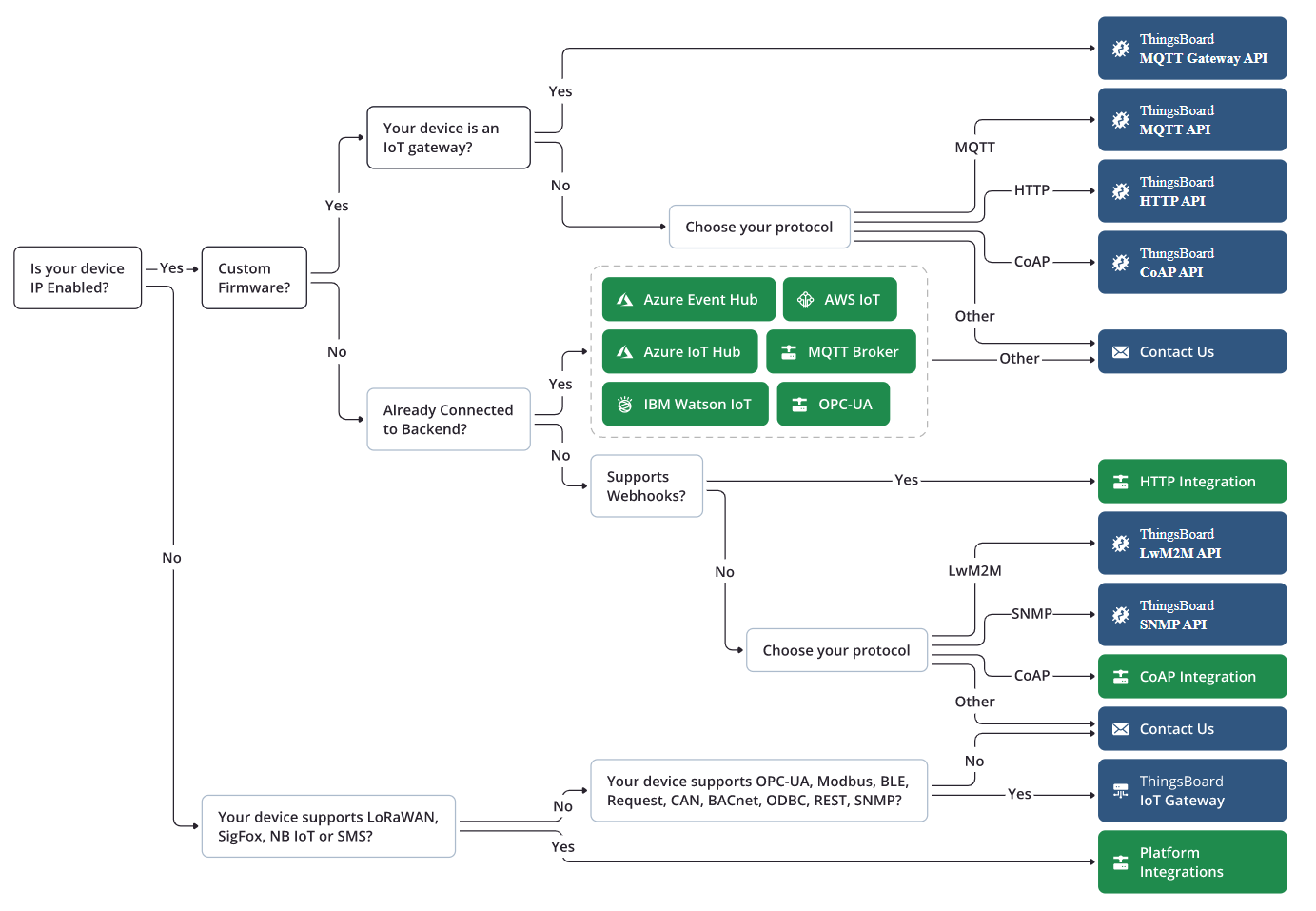
Connection from your device to Thingsboard could be handled via HTTP, MQTT, or one of many other available protocols (https://thingsboard.io/docs/getting-started-guides/connectivity/)
Set up Thingsboard
Thingsboard provides a demo server. Sign up for a free account here: https://demo.thingsboard.io/signup
Alternatively, you can use one of the other provided installation options like Docker containers or cloud installations: https://thingsboard.io/docs/user-guide/install/installation-options/?ceInstallType=onPremise
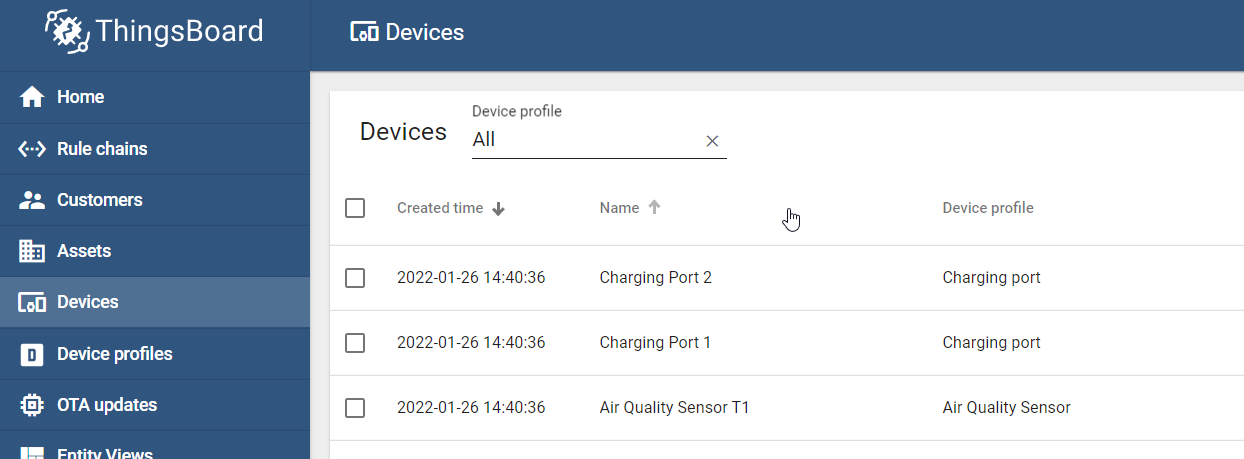
Log in to thingsboard to check the list of devices already present. This is a screenshot from the demo server.
Prepare your Board
I'm using one of our phyBOARD-Polis for demonstration purposes but the presented code should run on all platforms supporting Python.
We need pip on our device to enable Python wheel installations. Download pip via curl ...
curl https://bootstrap.pypa.io/get-pip.py > get-pip.py
... and install using the following command
get-pip.py
Thingsboard REST API is available as a Python import, so we install this package:
pip install tb-rest-client
Get the Code Up and Running
The following Python snippet creates a new device on your Thingsboard server and posts CPU temperature as telemetry data. Remember to change the target URI if not using the cloud demo and to insert your user's credentials. Of course, you would use OAuth in production environments.
thingsdemo.py
# Demo code to create a new device in thingsboard.io and post CPU temperature data

import logging
import platform
import pickle
import os

# Importing models and REST client class from Community Edition version
from tb_rest_client.rest_client_ce import *
from tb_rest_client.rest import ApiException

logging.basicConfig(level=logging.DEBUG,
					format='%(asctime)s - %(levelname)s - %(module)s - %(lineno)d - %(message)s',
					datefmt='%Y-%m-%d %H:%M:%S')

# ThingsBoard REST API URL
url = "https://demo.thingsboard.io"

# Default Tenant Administrator credentials
username = "user@domain.com"
password = "supersecretpassword"

# Creating the REST client object with context manager to get auto token refresh
with RestClientCE(base_url=url) as rest_client:
	try:
		# Auth with credentials
		rest_client.login(username=username, password=password)

		# Check, if device.id file exists and try to load. Else create new device and save info.
		if (os.path.isfile('device.id')):
			# read id from file
			device = pickle.load(open('device.id', 'rb'))
			logging.info(" Read Device from file:\n%r\n", device)
		else:
			# create device
			devicename = platform.node()
			device = Device(name=devicename, type="default")
			device = rest_client.save_device(device)

			# save id into file
			pickle.dump(device, open('device.id', 'wb'))
			logging.info(" Device was created:\n%r\n", device)

		# Add telemetry data, every 10 seconds CPU temperature
		telemetry = rest_client.telemetry_controller
		logging.info(telemetry)
		while True:
			with open("/sys/class/thermal/thermal_zone0/temp") as temp:
				cputemp = int(temp.read()) / 1000
			result = telemetry.save_entity_telemetry_using_post({'CPU temperature': cputemp}, 'DEVICE', device.id, 'ANY')
			logging.info('CPU temperature: %r', cputemp)
			sleep(10.)
	except ApiException as e:
		logging.exception(e)
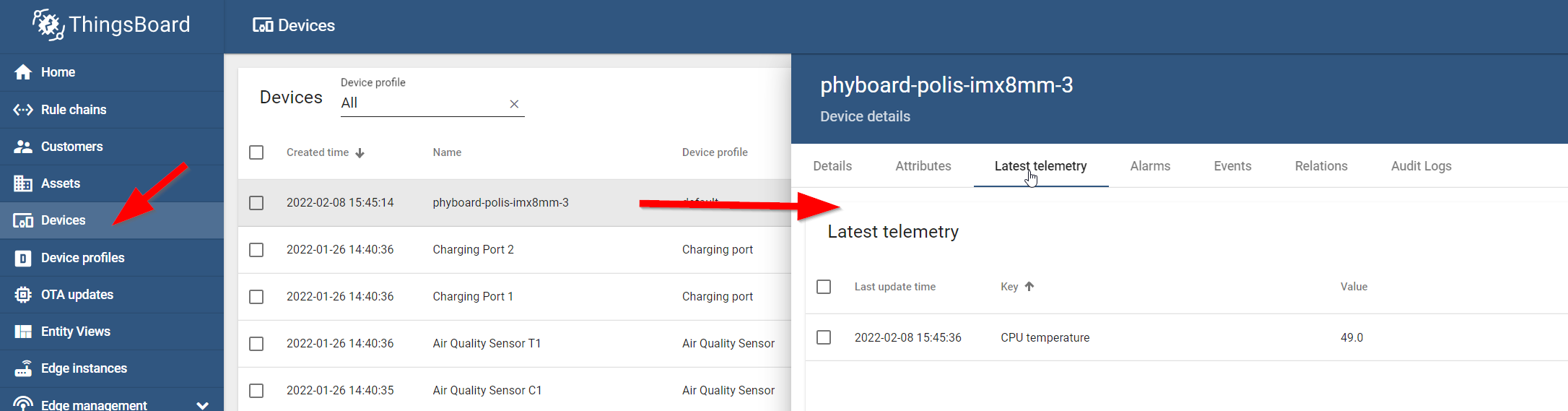
If everything is working as expected, your device will then show up in the Thingsboard list like this and immediately start updating its CPU temperature every 10 seconds:
Resources
Official Thingsboard.io getting-started-guide: https://thingsboard.io/docs/getting-started-guides/helloworld/
PHYTEC phyBOARD-Polis: PHYTEC phyBOARD-Polis Product Page